
Pipeline Management Software for Manufacturer Reps: The Complete Guide
If you’re a VP of Sales or Sales Manager at a multi-line manufacturer rep firm, you already know the problem: your pipeline lives in six different places. Reps track opportunities in spreadsheets. Commission data sits in QuickBooks or separate files. Manufacturer reporting happens manually every quarter. Your customer relationship management system, if you have one, wasn’t built for how reps actually sell.
Pipeline management software should solve this. But most tools don’t. They’re built for direct sales teams with single products and linear pipelines. Manufacturer reps operate differently: multiple product lines, long bid cycles, territory-based selling, and commission structures that generic customer relationship management system (CRMs) can’t handle.
This guide helps you evaluate, compare, and select pipeline management software that actually fits how manufacturer rep firms work. We’ll cover what makes rep-specific tools different, which features matter most, and how the leading platforms stack up when managing multi-line sales operations.
What Is Pipeline Management Software for Manufacturer Reps?
Pipeline management software for manufacturer reps is a CRM-plus-operations platform designed around the unique complexity of multi-line representation: tracking deals across multiple manufacturers, managing territory-based selling, supporting long construction bid cycles, and connecting quotes to orders to commissions in one system.
It’s not a generic CRM. Generic customer relationship management systems assume one company, one product set, linear deal stages. Manufacturer reps need tools that understand you’re selling on behalf of 5-15 principals, each with different pricing, commission structures, and reporting requirements. You need visibility into which lines are generating pipeline, which territories are performing, and where deals stand in 6-18 month bid cycles.

Why Manufacturer Reps Need Specialized Pipeline Software
Manufacturer reps don’t just need a different CRM. They need a different infrastructure.
You represent multiple manufacturers. Each has separate commission structures, reporting expectations, and CRM systems they want you to update. You manage territories, not accounts; coverage is geographic and often overlaps when different reps handle different product lines in the same region. Your sales cycles span months or years, tied to construction timelines and specification processes that don’t fit generic pipeline stages.
Generic sales teams control their product, pricing, and fulfillment. You don’t. That makes pipeline visibility even more critical. You need to see which manufacturers are generating opportunities, which territories are converting, and where deals are stalling, across all your lines, in one place.
Common Pain Points Without Specialized Tools
- Spreadsheet overload. Most small-to-mid-size rep firms still track pipeline in Excel. One spreadsheet per manufacturer. Another for commissions. A third for territory assignments. Nothing connects. Leadership can’t see firm-wide pipeline without manually compiling data from reps, which means sales insights arrive too late to act on.
- Duplicate data entry across manufacturer CRMs. Manufacturers want you to update their Salesforce or proprietary systems. You’re entering the same opportunity data into three different platforms. It’s inefficient and error-prone.
- No commission visibility. Generic customer relationship management systems stop at “deal closed.” They don’t track orders, shipments, or payments, which is when commissions actually get calculated for manufacturer reps. You’re reconciling commission in spreadsheets months after deals close.
- Missed follow-ups on long-cycle bids. A quote sits for six months waiting on project funding. Without proper pipeline stages for long cycles, it looks stale. Reps forget to follow up. The opportunity dies from neglect, not lack of interest. Lead nurturing becomes impossible when the system flags every long-cycle opportunity as overdue.
The Manufacturer Scorecard Problem: Why Generic CRMs Fail Rep Firms
Here’s a challenge generic CRMs weren’t designed to solve: maintaining separate activity and pipeline reports for 5-15 manufacturer lines.
Each manufacturer has different reporting expectations. One wants monthly pipeline updates showing quote volume and close rates. Another wants quarterly business reviews with territory coverage analysis. A third needs win/loss reporting by product category. You’re the same rep firm, but each principal treats you like their dedicated sales team.
Generic CRMs force you to build custom reports for each manufacturer manually. Export data, reformat it, add the metrics they care about, send it. Every month. For every line. The sales metrics each manufacturer wants are different, and your CRM wasn’t designed to segment them automatically.
Purpose-built tools solve this with features like CRMSync (updating manufacturer CRMs automatically) and per-line funnel segmentation (pipeline views filtered by manufacturer). One platform, multiple scorecards, zero duplicate entry.
Example: An HVAC rep firm manages lines from Evapco, BAC, Carrier, and Trane. Evapco wants weekly quote volume reports. BAC needs monthly pipeline forecasts. Carrier requires quarterly territory reviews. Trane wants win/loss analysis by product type.
With a generic CRM, that’s four separate monthly reporting projects. With a manufacturer rep-specific platform, it’s four automated reports pulling from the same pipeline data, filtered and formatted per manufacturer requirements.
The manufacturer scorecard problem isn’t just administrative burden. It’s a line retention risk. When you can’t demonstrate consistent pipeline activity and performance reporting, manufacturers question whether you’re actively selling their products.

Key Features to Look for in Pipeline Management Software
Not all CRM features matter equally for manufacturer reps. Here’s what actually drives value when managing multi-line pipeline.
Multi-Line Pipeline Management
The system should let you tag opportunities by manufacturer and view pipeline filtered by line. You need to see total pipeline value, but also pipeline value per manufacturer. Which lines are generating activity? Which are stagnant? Where should reps focus attention?
Generic CRMs handle this through custom fields and filtered views that break when your line card changes. Purpose-built tools make manufacturer segmentation native to the data model.
Commission Tracking and Reconciliation
Pipeline visibility shouldn’t stop at close. You need to see the full workflow: quote → order → shipment → payment → commission. When did the order ship? Has the manufacturer paid? What’s the commission amount by rep and by line?
Commission tracking eliminates the monthly scramble where reps and finance reconcile payments against closed deals. It also surfaces issues early, orders that shipped but haven’t been invoiced, payments that don’t match expected commission, splits that weren’t recorded correctly.
Manufacturer Reporting and CRM
The ability to generate clean manufacturer reports automatically saves hours every month. Better yet: tools that sync data to manufacturer CRMs eliminate duplicate entry entirely.
You update your pipeline once. The system pushes relevant data to each manufacturer’s CRM based on rules you configure. Evapco sees Evapco opportunities. BAC sees BAC opportunities. You manage one system.
Mobile CRM for Field Reps
Outside reps need mobile access that actually works. A real platform designed for field use. Update opportunity status from a job site. Log meeting notes while sitting in a contractor’s office. Check commission data between calls.
Mobile adoption is the difference between a CRM that stays current and one that’s always two weeks behind because reps wait until Friday afternoon to do data entry.
Quoting and Order Tracking
Pipeline tools that integrate quoting eliminate disconnects between opportunities and quotes. When a rep generates a quote, it links to the pipeline opportunity automatically. Leadership sees quote activity, win rates, and average deal size without asking reps for spreadsheets.
Order tracking extends visibility past the close. You see which deals converted to orders, which orders have shipped, and where fulfillment is delayed, all connected to the original pipeline opportunity.
Follow-Up Automation and Task Management
Long bid cycles require disciplined follow-up. The system should surface opportunities that need attention: quotes that haven’t been followed up in 30 days, stalled deals that need a check-in, projects approaching bid deadlines.
Automated task creation based on pipeline stage keeps reps focused on the right activities without managers micromanaging. This is essential for lead nurturing in markets where specification and design timelines stretch across months.
Territory Management
Territory assignment should be structural, not a workaround. Reps see their territory and manufacturers clearly. Leadership assigns coverage by geography and line, tracks performance by region, and reports without manually sorting data.
Forecasting and Sales Analytics
Pipeline forecasting for manufacturer reps needs to account for long sales cycles and project-based timelines. A deal that’s been “in negotiation” for six months isn’t stalled, it’s waiting on project funding. The system should weight pipeline differently for construction-tied opportunities.
Analytics should show: pipeline value by manufacturer, win rates by line, quote-to-close ratios by rep, territory performance over time, and average deal cycle length by product category. These sales metrics drive the coaching conversations that improve rep performance.
Sales insights become actionable when they’re specific: “Your close rate on chiller projects is 18% below team average” is more valuable than “close more deals.” Purpose-built platforms surface these insights automatically.

Best Pipeline Management Software for Manufacturer Reps (2026)
Here’s how the leading platforms stack up for manufacturer rep firms. Each review covers what the tool does well, where it falls short, and who should consider it.
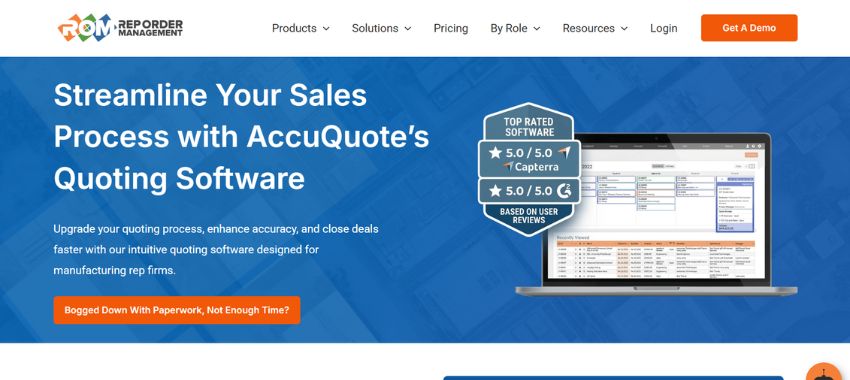
Rep Order Management (ROM)
Best for: Multi-office rep firms that need complete visibility from quote to commission across multiple manufacturers
What it does well:
ROM is the only platform built specifically for manufacturer reps that connects the entire sales operation in one system. AccuQuote handles quoting with manufacturer-specific templates and bid calendar management. AccuTrack provides order tracking, shipment visibility, and real-time commission reconciliation. AccuInsights delivers analytics across all manufacturers and territories, providing sales insights that drive performance improvements. Rep CRM (built into AccuQuote) manages contacts, pipeline, and manufacturer relationships without requiring a separate system.
The integration is the advantage. When a rep creates a quote in AccuQuote, it links to the pipeline opportunity in Rep CRM automatically. When the deal closes and becomes an order in AccuTrack, commission tracking starts immediately. Leadership gets complete visibility: which quotes are outstanding, which deals closed, which orders shipped, and what commission is owed, all in one platform.
ROM also solves the manufacturer scorecard problem. Generate reports filtered by manufacturer with one click. Track pipeline, quote activity, and win rates per line without manual data compilation. The system is designed around how rep firms actually operate: multi-line selling, territory-based coverage, long bid cycles, and commission structures that require order-to-payment tracking.
AccuInsights provides sales metrics that matter: quote-to-close ratios by manufacturer, territory performance trends, average deal cycle length, and rep activity benchmarks. The forecasting tools account for long bid cycles, weighting opportunities based on both stage and timeline to produce accurate revenue projections.
Where it fits:
Any size firm managing multiple manufacturers who need operational infrastructure, not just a CRM. Best for HVAC and commercial manufacturer rep firms where quote accuracy, order tracking, and commission transparency drive performance.
Pricing: Starting at $55/user/month
Verdict: ROM is purpose-built for manufacturer reps. If you need complete visibility from specification to commission across multiple lines, ROM solves problems that generic CRMs and standalone pipeline tools can’t address.
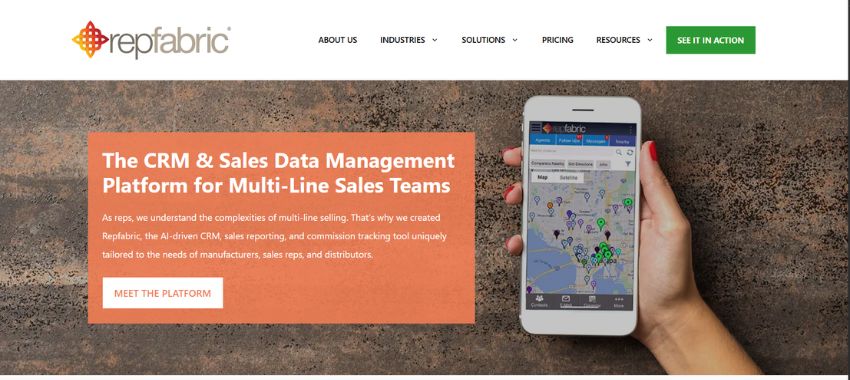
RepFabric
Best for: Rep firms that need multi-line commission tracking and want to sync data to manufacturer CRMs
What it does well:
RepFabric is a CRM designed specifically for multi-line sales teams. It handles opportunity tracking, commission calculations across multiple manufacturers, and CRMSync, a feature that updates manufacturer CRMs automatically so you’re not entering data twice.
The platform offers solid manufacturer reporting, email integration with Outlook and Gmail, and mobile access for field reps. Commission tracking is more sophisticated than generic CRMs, though users report it still requires manual reconciliation for complex split scenarios. Basic sales metrics are available through reporting dashboards.
Where it falls short:
RepFabric is CRM-focused. It doesn’t include native quoting tools, order management, or shipment tracking. You’ll need separate systems for those functions. The interface is functional but dated compared to modern platforms. Users also report that commission reconciliation, while better than generic CRMs, still doesn’t fully automate the month-end process, particularly for open POs and partial shipments.
Sales insights are limited compared to purpose-built analytics tools. Forecasting capabilities exist, but don’t account for the unique timeline weighting that long construction bid cycles require.
Pricing: Custom pricing (typically $75-125/user/month based on user reviews)
Verdict: RepFabric works well if you primarily need CRM functionality with better multi-line support than Salesforce or HubSpot. But if you need quoting, order tracking, or complete commission automation, you’ll still be cobbling together multiple tools.
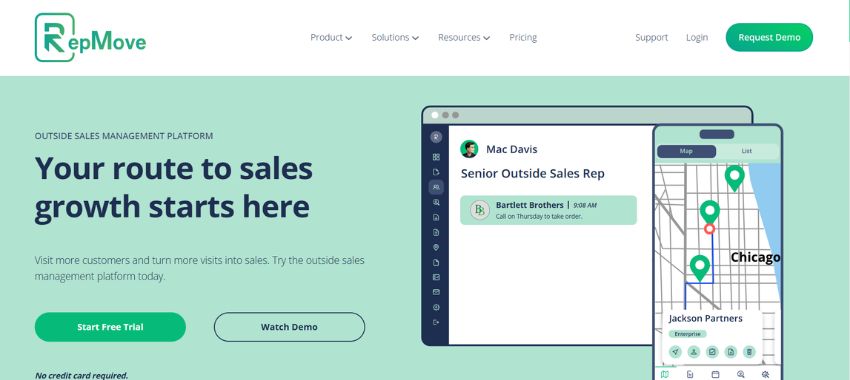
RepMove
Best for: Outside reps who need route optimization and mobile CRM for field selling
What it does well:
RepMove excels at route planning and mobile-first field sales. Build optimized routes with multiple stops, log visit notes via voice-to-text, track mileage automatically, and manage tasks on the go. The mobile app is genuinely designed for field use, fast, intuitive, and built around the reality that reps are in trucks, not offices.
The platform includes basic CRM functionality (contacts, accounts, deals) and integrates with other systems via API. For reps who spend most of their time driving between customer sites, RepMove saves time with smarter routing. Activity tracking provides sales metrics on visit frequency and customer engagement.
Where it falls short:
RepMove wasn’t built for manufacturer reps specifically. It doesn’t natively support multi-line selling, manufacturer-specific reporting, or commission tracking. There’s no quoting functionality, no order management, and no built-in manufacturer CRM sync.
Forecasting is generic and doesn’t account for long bid cycles. Sales insights focus on activity metrics (visits logged, miles driven) rather than pipeline health and manufacturer performance. Lead nurturing capabilities are basic, task reminders exist, but there’s no automation based on deal stage or manufacturer-specific timelines.
It’s a field sales productivity tool that happens to include a CRM, not a manufacturer rep platform that happens to have mobile access.
Pricing: Starting around $50/user/month
Verdict: RepMove solves route planning brilliantly. If your reps spend significant time driving territory and need mobile efficiency, it’s worth considering, but you’ll need separate systems for quoting, order tracking, commissions, and manufacturer reporting.
Repsly
Best for: CPG and retail execution teams focused on merchandising, shelf audits, and in-store compliance
What it does well:
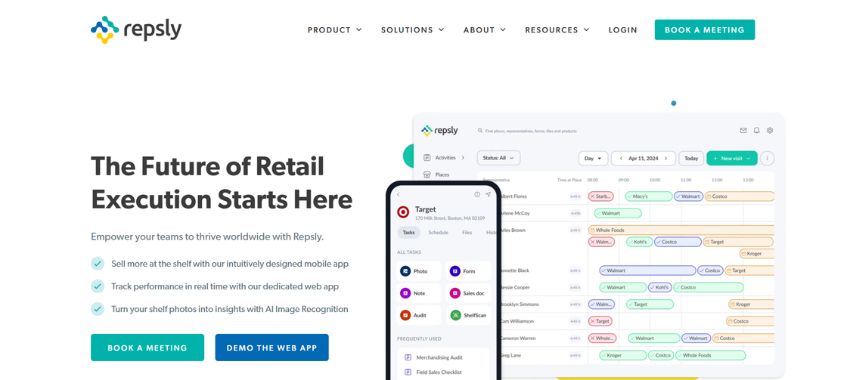
Repsly is mobile-first with strong field data capture capabilities. Reps can log store visits, capture shelf photos, complete compliance checklists, and submit forms on the go. The platform includes GPS tracking, route optimization, and real-time performance dashboards for managers.
Image recognition features (via ParallelDots partnership) automatically analyze shelf photos for planogram compliance, product placement, and competitor activity. For CPG brands managing retail execution, Repsly provides visibility into what’s actually happening at the shelf level. Sales metrics focus on distribution, compliance rates, and merchandising execution.
Where it falls short:
Repsly is built for retail execution and CPG merchandising, not manufacturer rep sales cycles. It doesn’t handle multi-line manufacturer relationships, commission tracking, or the quote-to-order workflows that define how rep firms operate.
The platform focuses on data collection (are products on shelves? are displays set up correctly?) rather than pipeline management, quoting, or order tracking. Forecasting doesn’t exist, the tool isn’t designed for long sales cycles or project-based selling. Lead nurturing features are minimal because CPG retail execution operates on weekly cadences, not 6-18 month bid cycles.
If you’re a rep firm selling into commercial HVAC or MEP markets, Repsly’s feature set doesn’t match your workflow.
Pricing: Custom pricing based on team size and features
Verdict: Repsly solves a specific problem (retail execution visibility) extremely well. But it’s not a manufacturer rep pipeline tool. Unless you’re managing CPG distribution or merchandising programs, the platform won’t fit how you sell.
Pipedrive
Best for: Small rep firms (1-4 reps) who need simple visual pipeline management without complexity
What it does well:
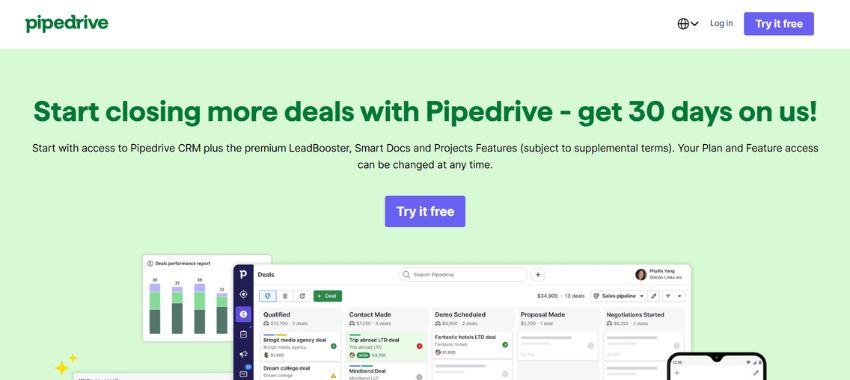
Pipedrive offers an intuitive visual pipeline interface. Drag deals between stages. See everything at a glance. The learning curve is minimal, reps can start using it effectively within hours, not weeks.
The platform includes email integration, basic reporting, mobile access, and workflow automation. For small teams managing straightforward deal flows, Pipedrive provides solid CRM functionality at a reasonable price point. Sales metrics cover basic pipeline health: deal velocity, win rates, and forecast accuracy.
Where it falls short:
Pipedrive is a general-purpose sales CRM. It doesn’t natively support multi-manufacturer tracking, commission reconciliation, or territory-based selling. You’ll customize it with custom fields and tags, but the data model wasn’t designed for manufacturer rep complexity.
There’s no quoting functionality, no order tracking, and no manufacturer reporting features. Commission tracking happens elsewhere. Pipeline stages don’t account for long construction bid cycles or specification-driven sales processes.
Forecasting is generic, weighted by stage probability without accounting for timeline differences between near-term and long-cycle opportunities. Sales insights are basic (deal count by stage, average deal size) rather than manufacturer-specific performance analysis. Lead nurturing automation exists, but can’t accommodate the multi-month specification phases common in commercial projects.
Pricing: Starting at $14/user/month
Verdict: Pipedrive works for small rep firms with simple operations who need basic pipeline visibility. But as you add manufacturers, reps, and operational complexity, you’ll outgrow it quickly. The cost savings disappear when you’re managing manufacturer relationships in spreadsheets because the CRM doesn’t support them.
HubSpot CRM
Best for: Rep firms who want a free starting point
What it does well:
HubSpot CRM is free for unlimited users. It includes contact management, deal pipeline, email tracking, and basic reporting. The interface is clean and modern. Integration with HubSpot’s marketing tools is seamless if you need them.
For rep firms that have been operating entirely in spreadsheets, HubSpot provides a structured system for tracking opportunities and contacts without upfront cost. Basic sales metrics are available: pipeline value, deal stage distribution, and activity logging.
Where it falls short:
HubSpot was built for inbound marketing and direct sales, not manufacturer reps. The free version lacks critical features rep firms need: no custom deal properties without upgrading, limited reporting, no commission tracking, and no multi-manufacturer pipeline segmentation.
The CRM doesn’t understand that you sell multiple product lines with different commission structures. It doesn’t connect to quoting or order management. Manufacturer reporting requires manual exports and reformatting.
Forecasting is basic and doesn’t account for long bid cycles. Sales insights focus on marketing attribution and lead sources, useful for inbound sales teams, irrelevant for spec-driven manufacturer rep workflows. Lead nurturing tools exist but are designed for 30-60 day email drip campaigns, not 6-month specification phases with quarterly engineering touchpoints.
You can customize HubSpot to approximate manufacturer rep workflows, but it requires upgrading to paid tiers and significant custom configuration work.
Pricing: Free (with significant feature limitations), paid tiers start at $50/user/month
Verdict: HubSpot is a reasonable free starting point for rep firms with no CRM. But the platform isn’t built for how manufacturer reps sell, and upgrading it to handle multi-line complexity costs more than starting with rep-specific software.

Pipeline Management for Long Bid Cycles: A Framework for Commercial Rep Firms
Generic pipeline stages don’t work for manufacturer reps. “Qualified → Proposal → Negotiation → Close” assumes deals progress linearly in weeks or months. Commercial HVAC and MEP projects take 6-18 months and move through completely different phases.
Here’s a pipeline stage model designed for long construction bid cycles:
Recommended Pipeline Stages for Manufacturer Reps
1. Specification
The project is in design. Engineers are writing specs. Your goal is basis of design inclusion. Activity at this stage: relationship building with consulting engineers, submittal data sharing, lunch-and-learns. Lead nurturing at this stage means maintaining quarterly contact without being pushy, spec influence happens through education and relationship maintenance, not aggressive follow-up.
Typical duration: 2-6 months
2. Quoting
Specs are released. Contractors are requesting pricing. You’re generating quotes and coordinating with manufacturers on equipment availability and lead times.
Typical duration: 2-4 weeks (but the project may sit here for months waiting on funding)
3. Submitted
Quote delivered to contractor. Now you wait. The project might get bid next week or six months from now. You’re tracking bid dates and staying in touch.
Typical duration: 1-6 months
4. Evaluation
The project was bid. Your quote is being evaluated against competitors. The owner or engineer is reviewing submittals and making equipment selections.
Typical duration: 2-8 weeks
5. Awarded
Your equipment was selected. The contractor received the job. Now you’re waiting for the PO. This stage often stalls due to financing, permitting, or owner delays.
Typical duration: 1-3 months
6. PO Received
Purchase order is in hand. The deal officially closed. Order tracking begins.
7. Shipped
Equipment shipped from manufacturer. You’re coordinating delivery, tracking freight, and confirming installation schedules.
8. Commissioned
Equipment installed and operational. Project complete. Commission payment expected.
Why “Deal Rotting” Alerts Need Different Thresholds
Generic CRMs flag deals as stale if they sit in a stage for 30 days without activity. That threshold makes sense for SaaS sales. It destroys forecasting accuracy for manufacturer reps.
A project in “Specification” stage for four months isn’t stale, it’s waiting on design completion. A quote in “Submitted” stage for 90 days isn’t dead, it’s waiting on project funding.
Your pipeline software should let you set stage-specific aging thresholds:
- Specification: Alert after 90 days
- Quoting: Alert after 14 days
- Submitted: Alert after 60 days
- Evaluation: Alert after 30 days
- Awarded: Alert after 45 days
This surfaces real problems (quotes that need follow-up, deals genuinely stalled) without creating false urgency on projects that are progressing normally through long cycles. Sales insights improve when alerts are calibrated to actual deal behavior, not generic assumptions.
Stage-Appropriate Follow-Up Cadences
Different stages require different follow-up rhythms.
- During Specification: Monthly check-ins with engineers. You’re maintaining presence without being pushy.
- During Quoting: Immediate follow-up when quote is delivered, then weekly check-ins until bid date.
- During Submitted: Bi-weekly status checks. Has the project been bid yet? Is the bid date still accurate?
- During Evaluation: Weekly follow-up. What’s the timeline for equipment selection? Do they need additional submittal data?
- During Awarded: Weekly PO status checks. When is the contractor releasing the order?
Pipeline software should automate task creation based on these cadences. A deal moves to “Submitted” stage? Create a follow-up task for two weeks out. The task reminds the rep to check bid status without managers nagging.
Forecasting for Long Bid Cycles
Standard CRM forecasting weights deals by stage probability: 20% for qualified, 50% for proposal, 80% for negotiation. Those probabilities assume deals close in 30-90 days.
For manufacturer reps, forecast weighting should account for timeline:
- Specification stage deals with bid dates 6+ months out: 10-20% probability
- Submitted stage deals with bid dates 30-90 days out: 30-40% probability
- Evaluation stage deals actively being reviewed: 60-70% probability
- Awarded stage deals waiting on PO: 80-90% probability
This produces more accurate revenue forecasts because it accounts for the reality that deals far out in time, even if they’re “qualified,” carry more risk than deals actively progressing through evaluation.
HVAC-Specific Scenarios
- Chiller replacement project: Specification stage lasts 3-4 months while engineers finalize equipment selections and tonnage calculations. Quote stage is compressed (2 weeks) because the project goes out to bid with tight turnaround. Submitted to Awarded can take 4-6 months, depending on capital approval cycles.
- New construction mechanical system: Specification stage spans 6-12 months as the building design evolves. Multiple quote revisions as scope changes. Submitted to Evaluation happens quickly (bids due, project awarded within weeks). But Awarded to PO Received can drag 3-6 months due to construction financing and permitting.
- Tower project: Specification stage is short (engineer already knows your line). Quoting is technical and takes 3-4 weeks coordinating with manufacturer engineering. Evaluation is fast (2-3 weeks). But Awarded to PO Received can take a year as the tower gets permitted and financed.
- Your pipeline software should accommodate these timelines without flagging every deal as overdue.

How to Use Pipeline Data to Improve Manufacturer Relationships
Clean pipeline data isn’t just internal infrastructure. It’s external credibility.
Quarterly Business Reviews
Manufacturers expect pipeline visibility. They want to know: How many opportunities are in flight? What’s the forecast for next quarter? Which territories are generating activity?
With centralized pipeline data, quarterly business reviews become simple. Pull a report filtered by manufacturer. Show pipeline value by stage. Highlight recent wins and active quotes. Demonstrate you’re working their line actively.
The sales metrics manufacturers care about, quote volume, win rates, and territory coverage, are immediately available rather than manually compiled. Sales insights like “Q3 pipeline up 22% year-over-year” or “average deal size increased 15%” strengthen manufacturer confidence.
Without pipeline data, QBRs turn into vague conversations about effort without proof.
Pipeline-Backed Forecasting for Manufacturers
Manufacturers use your forecasts to plan production, allocate inventory, and staff regional support. Accurate forecasts build trust. Consistently missed forecasts damage it.
Pipeline software lets you provide data-backed forecasts instead of gut-feel estimates. Show them deal stages, expected close dates, and historical close rates. When forecasting is grounded in visible pipeline, manufacturers trust it.
Demonstrating Territory Coverage
Manufacturers want to see that you’re covering the entire territory, not just working familiar accounts. Pipeline data proves coverage.
Show opportunities by geography. Highlight new accounts you’ve developed. Demonstrate activity across the full territory, not just the top 10% of customers.
This matters especially when manufacturers are evaluating whether to expand your territory or add competing reps in underperforming regions.
Using Pipeline Reports to Justify Line Expansion
Want to add a new manufacturer or expand into adjacent product categories? Pipeline data makes the case.
Show the manufacturer how much related business you’re quoting. “We quoted $2M in chiller projects last year. 40% of those projects also included cooling towers, your product line. If we represented your towers, we’d have natural access to those opportunities.”
Data-backed requests for line expansion carry more weight than speculative pitches.
Preventing Line Loss
Manufacturers drop reps who aren’t actively selling. Pipeline visibility helps you get ahead of that risk.
If a manufacturer line is generating low pipeline activity, you see it in the data before the manufacturer asks uncomfortable questions. You can course-correct, assign a rep to focus on that line, adjust territory coverage, or invest in manufacturer training, before the relationship is at risk.
Manufacturers are more likely to work with you on performance issues when you surface them proactively with data, rather than waiting for them to notice declining results.

Measuring ROI from Pipeline Management Software
Here’s how to calculate whether pipeline software is worth the investment, and how to prove it to leadership or ownership.
ROI Framework: Hard Costs vs. Soft Benefits
Time Saved on Reporting
Calculate hours spent manually compiling manufacturer reports, commission reconciliation, and pipeline updates. Most rep firms spend 10-15 hours per month per manager on these tasks.
- 15 hours/month × 12 months = 180 hours/year
- At $75/hour loaded cost = $13,500/year in administrative time
- Automated reporting cuts this by 70-80% = $9,500-10,800/year saved
Increase in Close Rate
Better pipeline visibility drives better coaching, which improves close rates. Benchmark data suggests rep firms using dedicated pipeline tools report 10-20% improvements in quote-to-close ratios within the first year.
Conservative estimate: 5% close rate improvement
- Current: 100 quotes/year × 25% close rate = 25 closed deals
- Improved: 100 quotes/year × 30% close rate = 30 closed deals
- Average deal value: $50,000
- Additional revenue: 5 deals × $50,000 = $250,000
- At 5% commission rate = $12,500 additional commission revenue
Reduction in Lost Follow-Ups
How many deals die from neglect, not competition? Automated task management and pipeline alerts prevent quotes from falling through the cracks.
Estimate: 3-5 additional deals per year that would have been lost to poor follow-up
- 4 deals × $50,000 average = $200,000 additional revenue
- At 5% commission = $10,000 additional commission revenue
Commission Accuracy Improvement
Manual commission reconciliation creates errors: missed payments, incorrect splits, disputes that waste time and damage rep morale. Automated commission tracking eliminates most errors.
Value: Harder to quantify in dollars, but significant in terms of rep satisfaction and finance team efficiency. Estimate 5-10 hours/month saved in commission dispute resolution.
- 8 hours/month × 12 months = 96 hours/year
- At $50/hour = $4,800/year saved
Total Hard ROI Calculation
Costs:
- Pipeline software: $55/user/month × 10 users × 12 months = $6,600/year
- Implementation time: 40 hours @ $75/hour = $3,000 one-time
- Training: Included in most platforms
Total Year 1 Cost: $9,600
Benefits:
- Time saved on reporting: $9,500
- Additional commission from improved close rate: $12,500
- Additional commission from better follow-up: $10,000
- Time saved on commission disputes: $4,800
Total Year 1 Benefit: $36,800
ROI: ($36,800 – $9,600) / $9,600 = 283% first-year ROI
Even if you cut these estimates in half to be conservative, you’re still looking at 100%+ ROI in year one.
Soft ROI: Benefits That Don’t Show on P&L
- Rep Satisfaction: Reps hate administrative work. They became reps to sell, not to compile spreadsheets and reconcile commission. Pipeline software that reduces admin burden improves morale and retention.
- Replacing a good rep costs 6-12 months of productivity. Anything that reduces turnover has real value even if it doesn’t show up in immediate revenue.
- Manufacturer Confidence: Manufacturers trust rep firms that demonstrate operational discipline through clean reporting and accurate forecasting. That trust compounds over time into preferred partner status, expanded territories, and new line opportunities.
- You can’t put a dollar figure on “manufacturer thinks we have our act together,” but the long-term value is substantial.
- Scalability: Spreadsheet-based pipeline management breaks as you add reps, manufacturers, and territories. Purpose-built software scales. You can grow from 5 reps to 15 without re-engineering your entire operational infrastructure. The cost of NOT having scalable systems shows up when growth opportunities get delayed because “we need to fix our processes first.”
- Coaching Quality: Managers coaching from gut feel and scattered data can’t be as effective as managers coaching from complete pipeline visibility. Better coaching means better rep performance, which drives revenue.
- When sales insights are specific and timely, “your specification-stage activity is down 30% this quarter”, coaching becomes actionable rather than generic.
Benchmark Numbers
Based on industry data and user reviews:
- Rep firms using dedicated pipeline tools report 10-20% improvements in close rates within 12 months
- 70-80% reduction in time spent on manual reporting (manufacturer QBRs, commission reconciliation, pipeline updates)
- 15-25% improvement in forecast accuracy (measured as deviation between quarterly forecast and actual results)
- 30-40% reduction in “deal rot” (opportunities lost due to poor follow-up, not competitive factors)
Your mileage will vary based on current process maturity, but these ranges are realistic for firms migrating from spreadsheets to purpose-built tools.

Final Recommendations: Choosing the Right Pipeline Tool
If you made it this far, here’s the bottom line.
For any size rep firm managing multiple manufacturers: ROM is the only platform that connects quoting, pipeline, orders, and commissions in one system, purpose-built for manufacturer reps. Starting at $55/user/month, it delivers complete operational visibility without cobbling together multiple tools. The sales insights and forecasting capabilities account for long bid cycles and multi-line complexity that generic CRMs can’t handle.
What not to do: Don’t try to build manufacturer rep workflows in Salesforce unless you have $80,000+ for customization and ongoing maintenance budget. Don’t stick with spreadsheets because “they work fine,” they work for individual reps, but break at the firm level.
The right pipeline software isn’t about features. It’s about infrastructure that lets you scale operations, maintain manufacturer relationships, and give leadership the visibility they need to coach effectively and allocate resources intelligently.
Choose tools built for how manufacturer reps actually operate. Everything else is customization work you’ll pay for twice—once upfront, and again every time something breaks.